Clone Github Repositories
Click on the Source Control icon in the left sidebar, and click on Clone Repository. Follow the instructions to connect to Github.
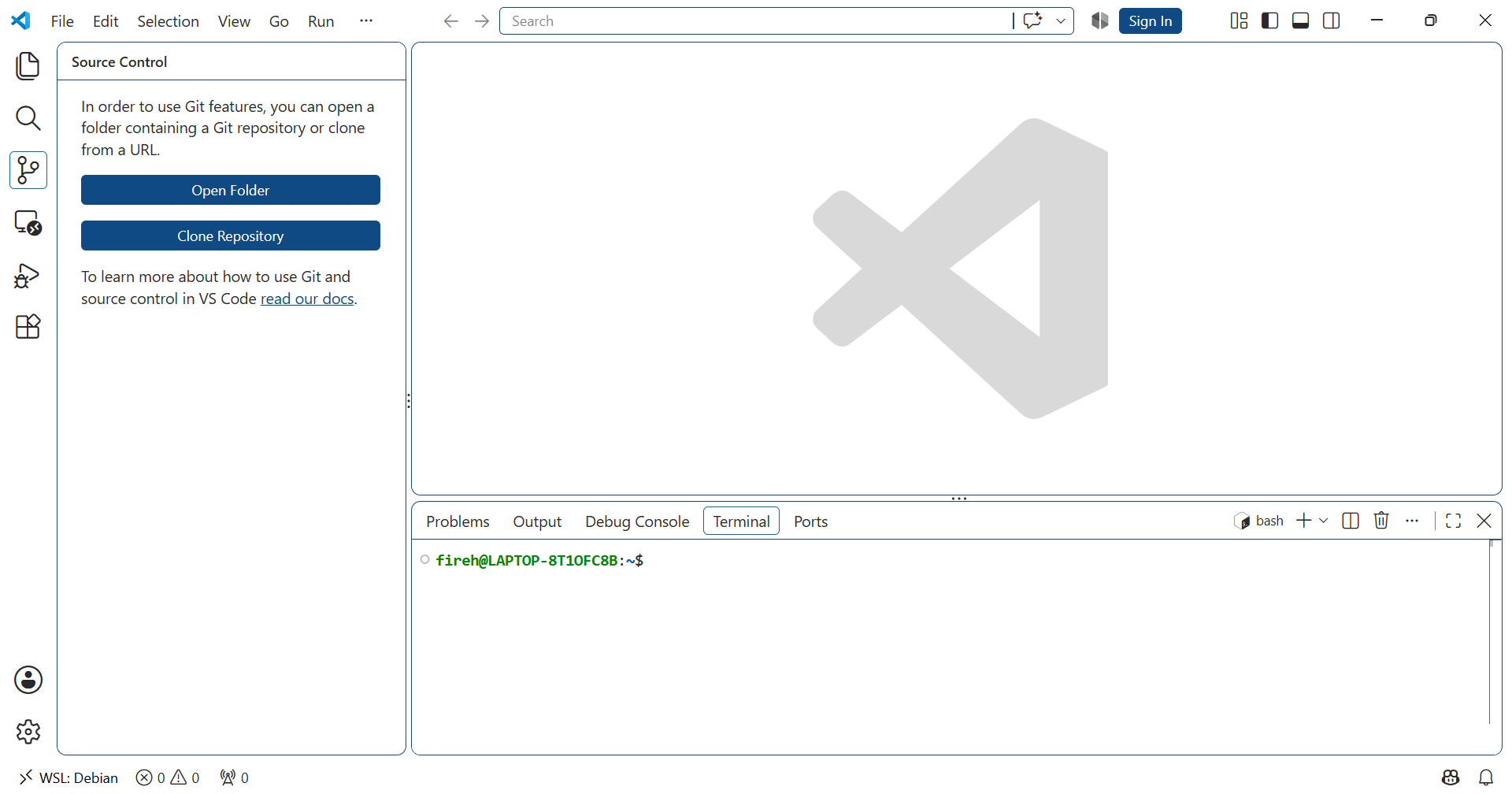
Open Source Control panel
Create directory
workand click Clone Repository
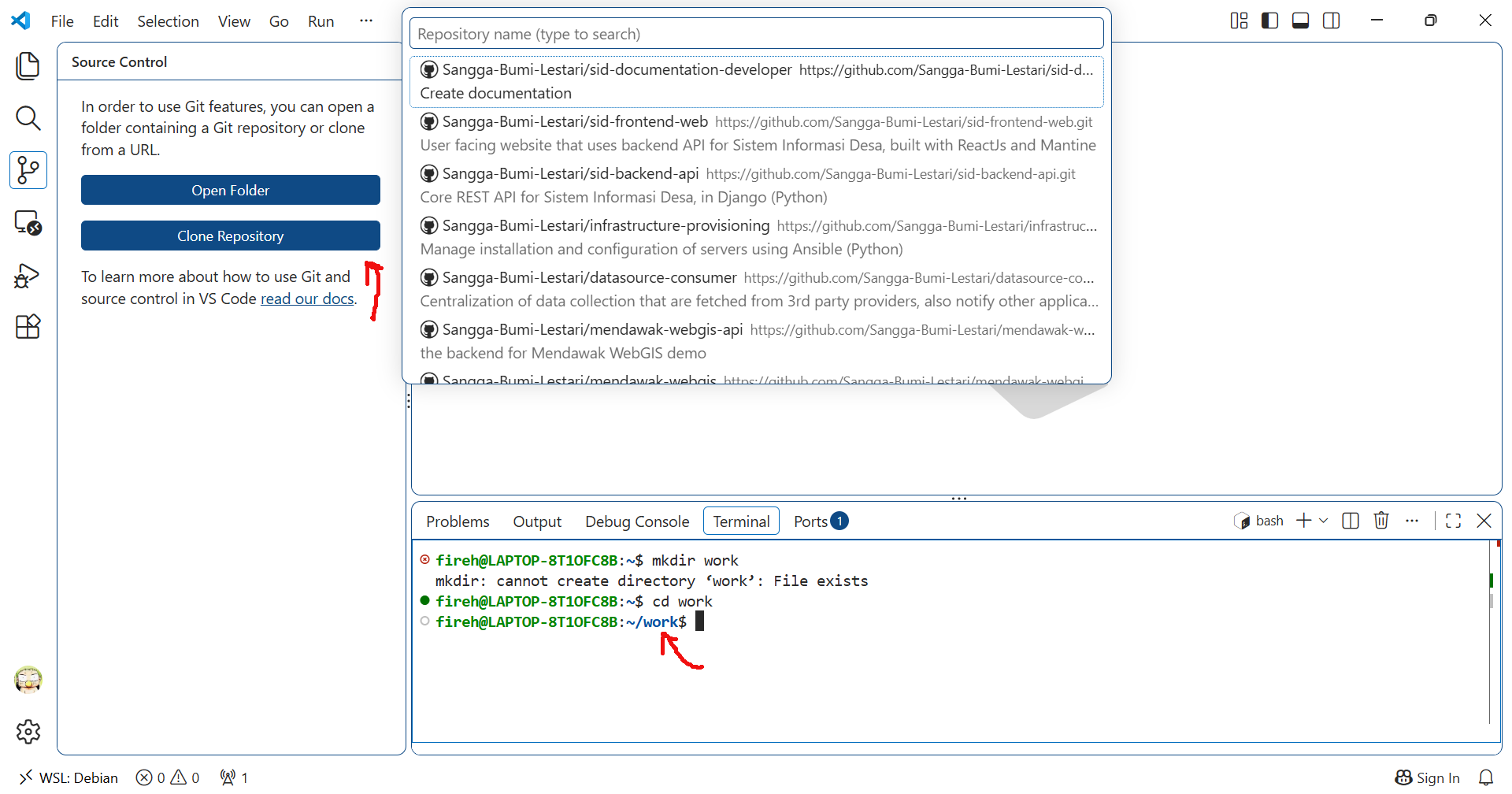
Create work directory and connect to Github
Clone 3 projects under /home/USERNAME/work directory:
datasource-consumer
sid-backend-api
sid-frontend-api
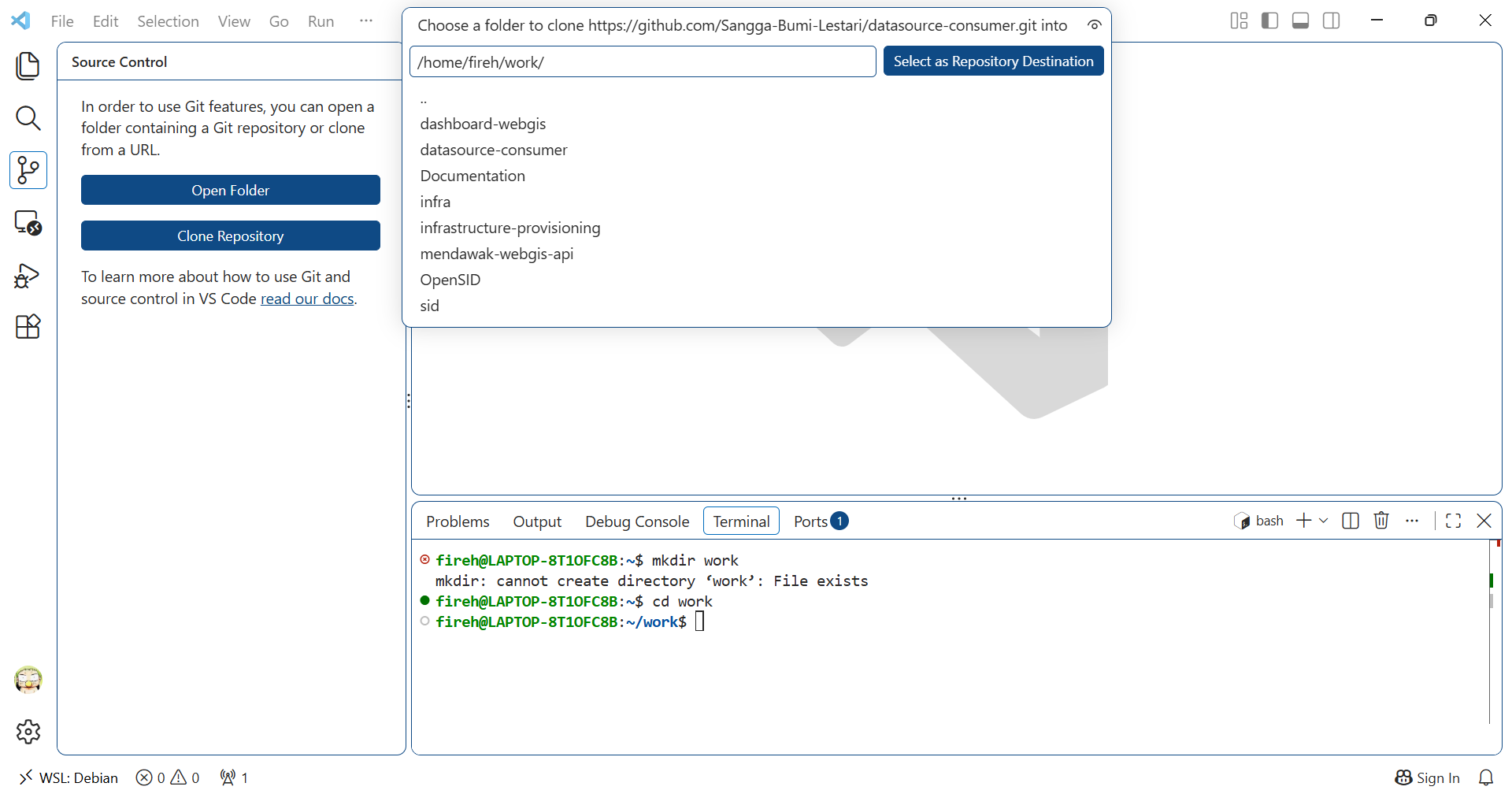
Clone the projects to work directory