Instalasi Docker Desktop
Hardware Requirements
Your computer must meet these physical hardware specs:
Processor: 64-bit CPU (Intel, AMD, or ARM64 like Snapdragon X platforms) with Second Level Address Translation (SLAT).
Virtualization: Hardware virtualization extensions must be enabled in your system's BIOS/UEFI (Intel VT-x or AMD-V).
Memory: 4 GB system RAM minimum; 8 GB or more is highly recommended to run containerized services without performance bottlenecks.
Storage: At least 6 GB of available disk space, preferably on a solid-state drive (SSD).
Proses Instalasi
Download from the Official Docker Website https://docs.docker.com/desktop/setup/install/windows-install/ or install from Microsoft Store
Enable the WSL 2 Backend
Click the Gear icon in the top navigation bar of the Docker Desktop UI to open Settings, then navigate to the General tab.
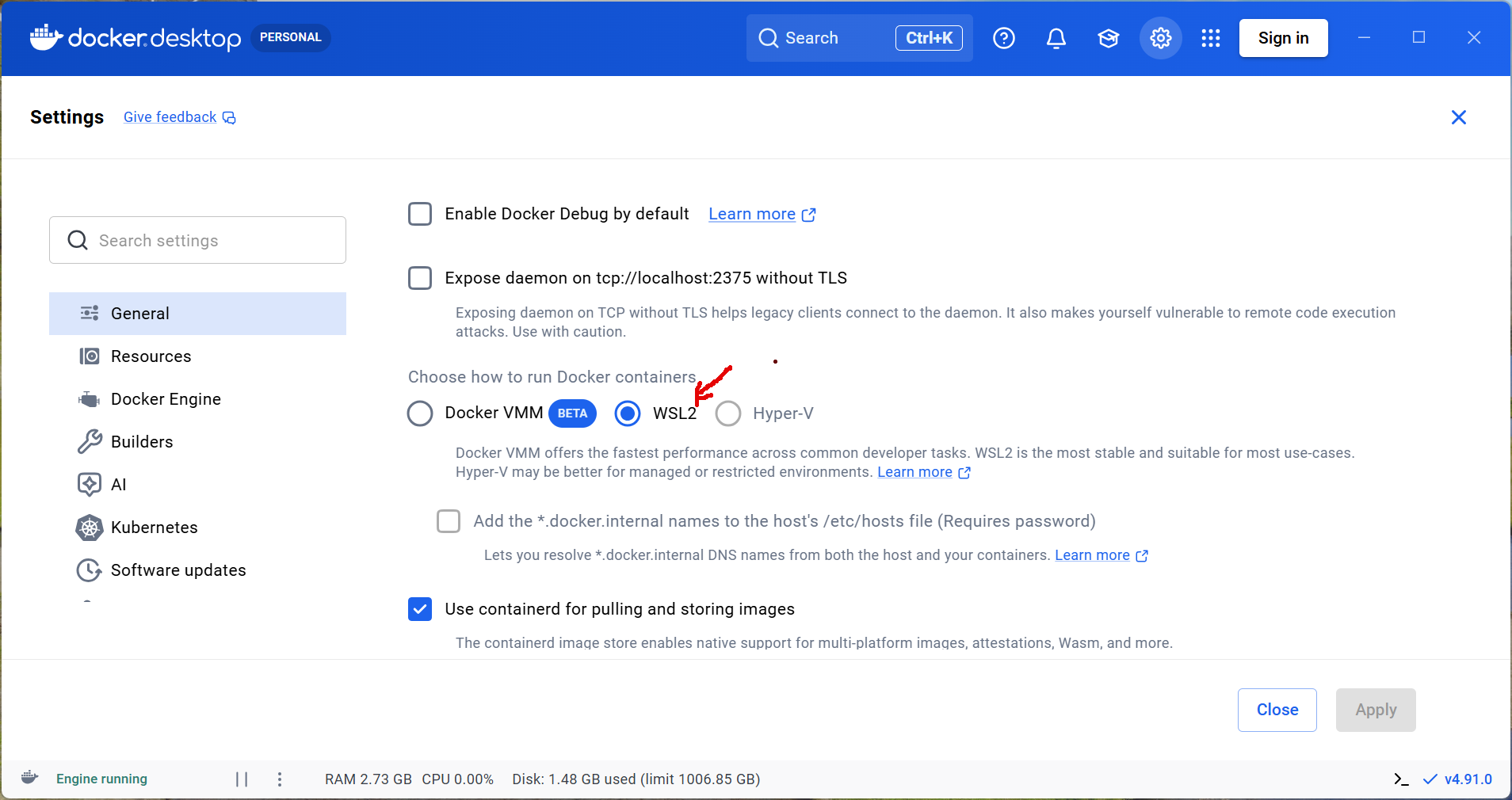
Use WSL as Docker Desktop backend engine.
Enable WSL Integration
If you want to access your Docker environment directly from your installed Linux distributions (e.g., Ubuntu):
In Settings, navigate to Resources and select WSL Integration. Toggle the Enable integration with my default WSL distro switch.
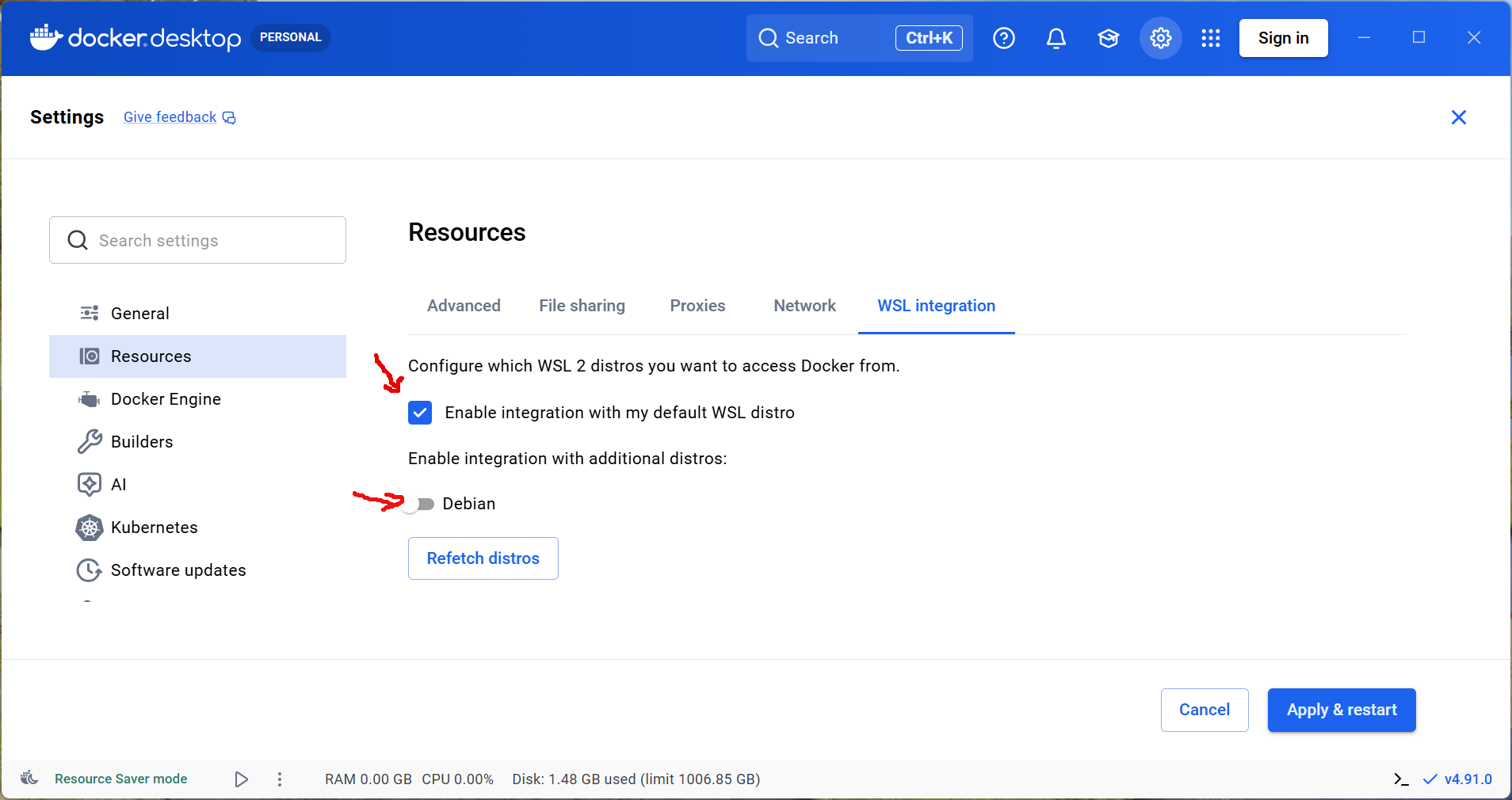
Integrate Desktop Backend with WSL